Writing and Editing Pages
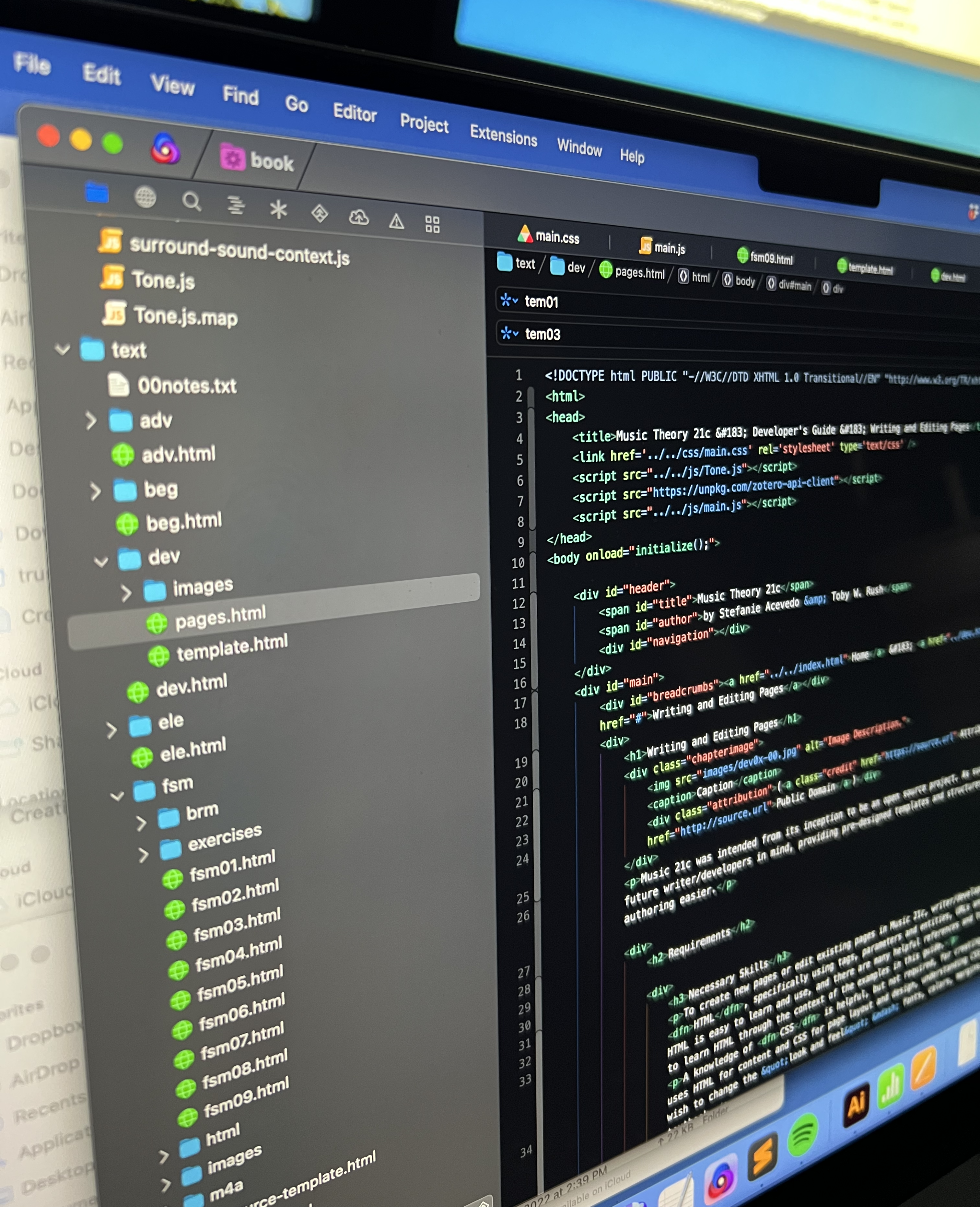
Music Theory 21c was intended from its inception to be an open source project. As such, the authors designed the site with future writer/developers in mind, providing pre-designed templates and structures to provide consistency and make authoring easier.
Requirements
Necessary Skills
To create new pages or edit existing pages in Music Theory 21c, writer/developers should be familiar with HTML, specifically using tags, parameters and entities, URLs and simple file structures. Fortunately, HTML is easy to learn and use, and there are many helpful references and tutorials online; beginners may be able to learn HTML through the context of the examples in this guide.
A knowledge of CSS is helpful, but not required, for creating and editing pages. Because Music Theory 21c uses HTML for content and CSS for page layout and design, understanding CSS is only required for developers who wish to change the "look and feel" — fonts, colors, margins, placement and so on — of the textbook.
Familiarity with JavaScript is not required for creating and editing pages, but is required for the development of interactive figures and tools included in the text.
Necessary Tools
The use of a text editor is strongly recommended for composing and editing pages in HTML. WYSIWYG editors and word processors that automatically convert styled text into HTML can introduce extra code that can cause unpredictable results.
Publishing the adapted materials publicly requires a web host and a program which allows you to transfer files to the web host using a method like FTP.
Files and Directories
Music Theory 21c is comprised of the following files and file directories:
css: this folder containsmain.css, which contains font and layout information for all pages on the site.font: this folder contains a copy of the webfont Bravura, which contains musical symbols, and the FontAwesome symbol set, which contains icons and other useful pictographs.glossary.html: this is Music Theory 21c's glossary, which is referred to throughout the text.index.html: this is the Music Theory 21c main page, containing the introduction and table of contents.js: this folder contains all the JavaScript files used by Music Theory 21c, includingmain.js, which provides necessary functionality for all pages, andinators, which contains interactive figures and tools used throughout the text.text: this folder contains most of the actual HTML pages which comprise Music Theory 21c.
Within the text directory, each unit in the text of Music Theory 21c is represented by an HTML file xyz.html, and a folder xyz. The HTML file provides an introduction and table of contents for the unit. The folder contains the following files and directories:
xyz01.html,xyz02.html, etc.: these are the individual pages containing the content for each topic.images: this directory contains any graphics included on the pages.exercises: this directory contains materials for student exercises included at the end of each page. Files in this directory are organized into folders by extension, such asdocxortxt.- Supporting files directory: other directories —
brf,m4a,mxlandpdf— contain music, sound, and other documents referred to by figures in the text.
Page Structure
Pages in Music Theory 21c use specific HTML elements and structures to provide consistency throughout the site. A set of templates is available in the tem directory, each of which provide comments describing the different elements of the page.
Required Elements
Each document must have the following elements and structures, all of which are present in the templates provided in the tem directory:
- The
<head>element should contain references to Music Theory 21c's CSS stylesheet (main.css) and JavaScript code (main.js), to the local copy of Tone.js, and to the Zotero API Client code respository. To ensure functionality, these pages are included on all pages regardless of whether or not they are used. - The
<body>must include the parameteronload="initialize();", which provides necessary formatting after each page loads. - The
<body>should itself contain three sections: - A header (
<div id="header">...</div>), which should contain an empty navigation element (<div id="navigation"></div>) that is automatically populated after the page loads, - A main section (
<div id="main">...</div>), which contains the page's primary content, and - A footer (
<div id="footer">...</div>), which contains a short license notice.
Text Hierarchy
In the body of each page's text, Music Theory 21c uses nesting HTML to allow headers and subheaders to stack while scrolling, reinforcing the page's logical structure.
The results can be seen on this page, which uses the following structure:
<div>
    <h1>Writing and Editing Pages</h1>
    <p>...</p>
    <div>
        <h2>Requirements</h2>
        <div>
            <h3>Necessary Skills</h3>
            <p>...</p>
        </div>
        <div>
            <h3>Necessary Tools</h3>
            <p>...</p>
        </div>
    </div>
    <div>
        <h2>Files and Directories</h2>
        <p>...</p>
    </div>
    <div>
        <h2>Page Structure</h2>
        <p>...</p>
        <div>
            <h3>Text Hierarchy</h3>
            <p>...</p>
        </div>

        ...

    </div>
</div>
Note that the <h1> is reserved for the Chapter Title. Headers within the page should start at <h2>.
Text Formatting
Music Theory 21c includes several formatting shortcuts to ensure consistency and legibility and to allow writers to focus on content over design.
Music Symbols
Certain common musical symbols can be included using the <span> tag. Note that the contents of the <span> tag should be formatted as shown to ensure access by screenreaders and other assistive devices.
| Code | Result |
|---|---|
| Notes: <span class="note">F#, Bb, C natural, Abb, D##</span> | Notes: F#, Bb, C natural, Abb, D## |
| Scale degrees: <span class="scaledegree">1</span>, <span class="scaledegree">2</span>, <span class="scaledegree">3</span> | Scale degrees: 1, 2, 3 |
| Form: <span class="form">ABA'</span>, <span class="form">A-A'-A''</span>, <span class="beginrepeat">||:</span><span class="form">AB</span><span class="endrepeat">:||</span> | Form: ABA', A-A'-A'', ||:AB:|| |
Titles of Works
References to other works should always be formatted using the appropriate <span> tag to ensure consistency and to simplify future editing and translation.
| Code | Result |
|---|---|
|
<span class="album">Art Of Doubt</span><br /> <span class="app">GarageBand</span><br /> <span class="artinstallation">Cadillac Ranch</span><br /> <span class="ballet">Le Sacre du Printemps</span><br /> <span class="book">Hose of Leaves</span><br /> <span class="dance">Pryvit</span><br /> <span class="filmcue">Get 'Em, R-2!</span><br /> <span class="game">Mario Kart Wii</span><br /> <span class="generic">Concerto No. 5</span> <span class="nickname">Emperor</span><br /> <span class="largework">Color Music</span><br /> <span class="movie">Scott Pilgrim Vs. The World</span><br /> <span class="musical">Aspects of Love</span><br /> <span class="opera">Rigoletto</span><br /> <span class="operetta">Die lustige Witwe</span><br /> <span class="oratorio">Jephte</span><br /> <span class="painting">Christina's World</span><br /> <span class="smallwork">The Raven</span><br /> <span class="song">Uptown Girl</span><br /> <span class="term">tertial</span><br /> <span class="tvepisode">The Inner Light</span><br /> <span class="tvseries">The Good Place</span><br /> <span class="website">dresdencodak.com</span> |
Art Of Doubt GarageBand Cadillac Ranch Le Sacre du Printemps House of Leaves Pryvit Get 'Em, R-2! Mario Kart Wii Concerto No. 5 Emperor Color Music Scott Pilgrim Vs. The World Aspects of Love Rigoletto Die lustige Witwe Jephte Christina's World The Raven Uptown Girl tertial The Inner Light The Good Place dresdencodak.com |
Links
As with other websites, hyperlinks can be created using <a href="[url]">...</a>. However, in most cases, writer/developers are encouraged to use the special methods below, which add consistency and functionality.
Scholarly Citations
For citations, Music Theory 21c uses the citation manager Zotero. First, a Zotero group must be created and connected to Music Theory 21c:
- After registering with Zotero, go to the Zotero Groups Tool.
- Click "Create a New Group" and select the settings you wish to use.
- Once the group is created, click your group name to see your group in the Zotero Web Library.
- Copy the URL from your web browser's address bar
- Copy the eight characters that appear after "/groups/" in the URL; this is the group number.
- Near the top of
main.js, find the lineconst zoteroLibraryID = 3517328and replace the number with the group number.
To cite scholarship in the text, enter the complete citation information into your Zotero group, and use the <cite> tag with the Zotero item number. To determine the Zotero item number:
- Make sure the citation is highlighted in the Zotero Web Library,
- Copy the URL from your web browser's address bar
- Copy the eight characters that appear after "/items/" in the URL; this is the item number.
| Code | Result |
|---|---|
| <cite value="HBFDBVGZ">MTMW Presentation</cite> | MTMW Presentation |
Definitions
Hypertext makes it very easy to provide the reader with further information without interrupting the flow of text. Music Theory 21c makes this process very easy for writer/developers by using the <dfn> tag.
In many cases, further information for a word or phrase simply can be provided by enclosing it in <dfn> tags with no parameter. When a user clicks on the term, the following process is followed:
- If the term is included in
glossary.html, the user will be taken to that entry. - If the term is not included in
glossary.html, the user will be taken to the article on English Wikipedia that matches the term.
| Code | Result |
|---|---|
| <dfn>nebenverwandt</dfn> | nebenverwandt |
| <dfn>klangfarbenmelodie</dfn> | klangfarbenmelodie |
If a different variation of the term is being used in the text, the actual term can be added to the <dfn> using the term parameter:
| Code | Result |
|---|---|
| <dfn term="John Locke (Lost)">John Locke</dfn> | John Locke |
If the term is best defined on a website other than Wikipedia, an href parameter can be used instead:
| Code | Result |
|---|---|
| <dfn href="https://dirkgently.fandom.com/wiki/Pararibulitis"> pararibulitis</dfn> | pararibulitis |
Internal Links
To link to another page within Music Theory 21c, use an <a> tag, but include the additional parameter class="chapterlink".
| Code | Result |
|---|---|
| <a href="../adv/adv04.html" class="chapterlink">nebenverwandt</a> | The Music Business |
Figures
The templates in the tem directory include example code for including different types of figures, including photographs, diagrams, audio, video, and interactive elements, placed as chapter heading images, images inline with the text, and as sidebars.
Writer/developers are encouraged to consider the following when including figures:
- All material included in Music Theory 21c must be compatible with Music Theory 21c's overall license, CC BY-NC-SA 4.0. All material not created by the writer/developer should include an attribution and license, even if the material is in the public domain.
- Figures can reference material hosted on other servers which do not fall under Music Theory 21c's overall license; for example, a figure may include an embedded YouTube video containing copyrighted media. In this case, writer/developers should strive to link to official, creator-sponsored versions whenever possible.
- Material referenced on other servers should be limited to audio and video files on popular hosting sites like YouTube and Vimeo. Still images should not be linked externally.
- PNG format is preferred for photographs and other bitmapped graphics, and writer/developers should use the largest and highest-resolution files available.
- SVG should be used for diagrams, musical examples, and similar graphics.
- When designing diagrams and musical examples:
- Diagrams and musical examples should be designed with primarily black figures against a transparent background, which will be displayed as white on the page. Color can and should be used to highlight elements, categorize elements, or provide other context. Shading, gradients and drop shadows should be avoided in favor of solid, distinct graphic elements.
- Diagrams and musical examples should be designed to be clear and legible by readers who have colorblindness.
- In most cases, musical scores written in staff notation should be typeset using a music notation program and saved as an SVG file. Within the score, text such as staff names, tempo markings, lyrics and other annotations should be set in Fira Sans Condensed Medium, and musical directions such as "cresc." and "pizz." should be set in Crimson Text roman or italic, as appropriate.
- When appropriate, a second version of each graphic file should be included for use in web browsers set to dark mode. These images should be linked in the
<img>tag using thedata-dark-srcparameter. - For diagrams, dark mode versions should be designed with primarily white figures and text against a transparent background which will be displayed as dark charcoal,
#333333. Highlight colors may be replaced with brighter versions to improve legibility. - Dark mode versions of musical examples in staff notation should be set as black figures against a background of silver,
#bbbbbb. - It is not necessary to provide dark mode version of photographs; if a
data-dark-srcparameter is not included, the file referenced by thesrcparameter will be used in both light and dark mode. - All
<img>tags must include an<alt>tag with a screenreader-compatible description of the image. These should be brief descriptions of the pertinent elements of the image. For musical examples, the<alt>tag should include a brief, general description of the passage. Accidentals must be spelled out: "F sharp" and "B flat" instead of "F#" and "Bb". - The
<figure>tag should include thedata-filenameparameter indicating the chapter and figure number. If this parameter is present, buttons can be added to the figure using the following tags: <div class="audio button"></div>adds a button which plays a corresponding M4A audio file placed in them4adirectory.<div class="braille button"></div>adds a button which links to a BRF braille music notation file placed in thebrfdirectory.<div class="musicxml button"></div>adds a button which links to a Music XML notation file placed in themxldirectory.<div class="youtube button" data-url="[embed url]"></div>adds a button which plays a YouTube video in a pop-up player. To find a video's embed URL, click on a video's "Share" link, choose "Embed", and extract the URL from the code provided.<div class="spotify button" data-url="[embed url]"></div>adds a button which plays a Spotify track in a pop-up player. To find a track's embed URL, click on the three dots for a track in the Spotify player and choose "Share" > "Embed Track". Note that at this time, embedded Spotify tracks only allow users to play a short sample of the complete track.<div class="apple button" data-url="[embed url]"></div>adds a button which plays an Apple Music track in a pop-up player. To find a traack's embed URL, click on the three dots for a track in the Music app and choose "Share" > "Copy Embed Code". Note that at this time, embedded Apple Music tracks only allow users to play a short sample of the complete track.- For more information on creating and including interactive figures, see Interactive Figures.
Lyrics and Notated Excerpts
Because Music Theory 21c is released under a Creative Commons license, care should be taken to avoid including any copyrighted material; linking to copyrighted material on a separate server owned or sanctioned by the copyright owner should be done instead.
In some cases, figures provide analysis of copyrighted music or lyrics by including an excerpt of the notated music, printed lyrics, or both. While the following does not constitute legal advice, the original authors feel that including these transcriptions of short excerpts meet the standards of Fair Use as prescribed by US Copyright Law:
- The purpose and character of the use in Music Theory 21c is for non-commercial educational purposes, providing respectful analysis or commentary about the work.
- The format of the copyrighted work — musical performance — is not reused or redistributed, only notated elements of excerpts of the work.
- Only small portions of complete works are used.
- The effect of the use upon the potential market for the works is negligible; in fact, potential customers are provided links to the original material on major streaming services.